Allow customizing or theming system icons (Recently installed, Niagara settings, etc.) when using a third-party icon pack
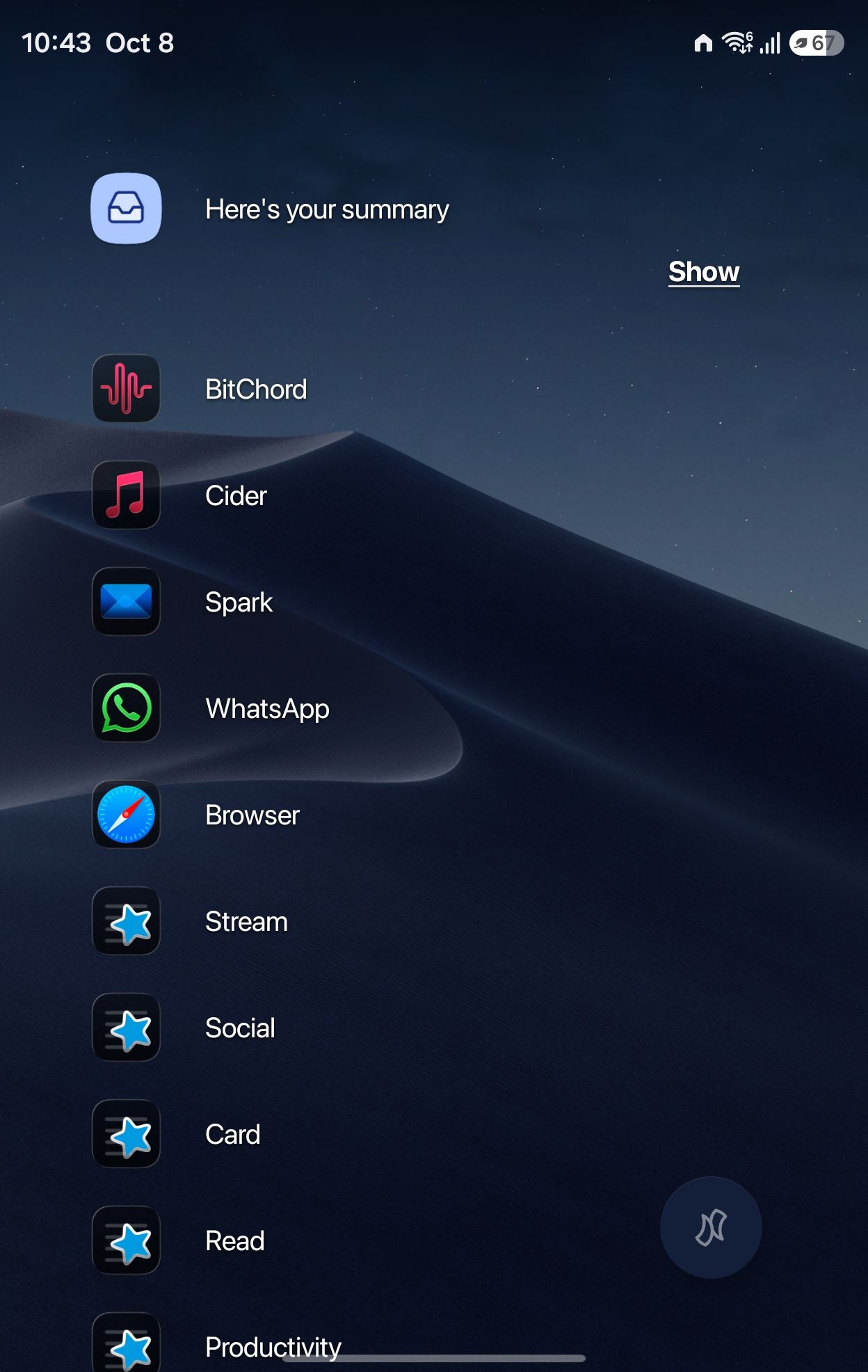
I'm using a third-party icon pack in Niagara Launcher, and it applies well to my installed apps. However, the launcher's built-in icons don't follow the pack and can't be changed. These include Recently installed, Niagara settings, and the other icons in the "Niagara Launcher" section of the app list. They keep the default light-blue style, which clashes with the rest of my icons.
Requested feature:
Let the launcher's built-in icons follow the active icon pack (when the pack includes matching icons), or
Add an option to manually pick or replace icons for these entries, or
Add a toggle to apply the icon pack's style or tint to the built-in icons.
Why it matters:
Icon packs are meant to give a consistent look. Having a few icons that can't be themed breaks the visual consistency, especially in a minimal, dark setup like Niagara's.
Current behavior: Built-in icons ignore the installed icon pack and have no customization option.
Expected behavior: Built-in icons can be themed or changed, either automatically through the icon pack or manually in settings.
Setup: Niagara Launcher with a third-party icon pack, dark wallpaper, Android.
Thanks for the great launcher!
- Category
- Customization
Log in to comment and vote
Comments1
Surfer Bot
Oct 9
Thanks, and the screenshot makes it clear: your pack themes the app icons, while Niagara's own entries keep the default light blue and stand out from everything around them.
The closest posts on the board are about the Niagara button rather than the app list entries: Niagra button isn't changing according to the icon pack and Niagara button, custom icon, which is Planned. Yours covers "Recently installed", "Niagara settings" and the rest of that section, so it stands on its own.
Requests don't usually get an individual reply from the team right away. They collect votes here first, and we work through them roughly by upvotes, so every vote on this post moves it up the list. You'll be notified when its status changes. How requests are handled, including why some get declined: How To Request a Feature.