Bug: Calendar Agenda does not show events from FootMob subscribed/external calendars
Hi Niagara team,
I'm experiencing an issue with the Calendar Agenda in Niagara Launcher.
Events coming from calendars that I subscribed to through FootMob are correctly displayed and continuously updated in Google Calendar, but they do not appear in Niagara Launcher's Calendar Agenda.
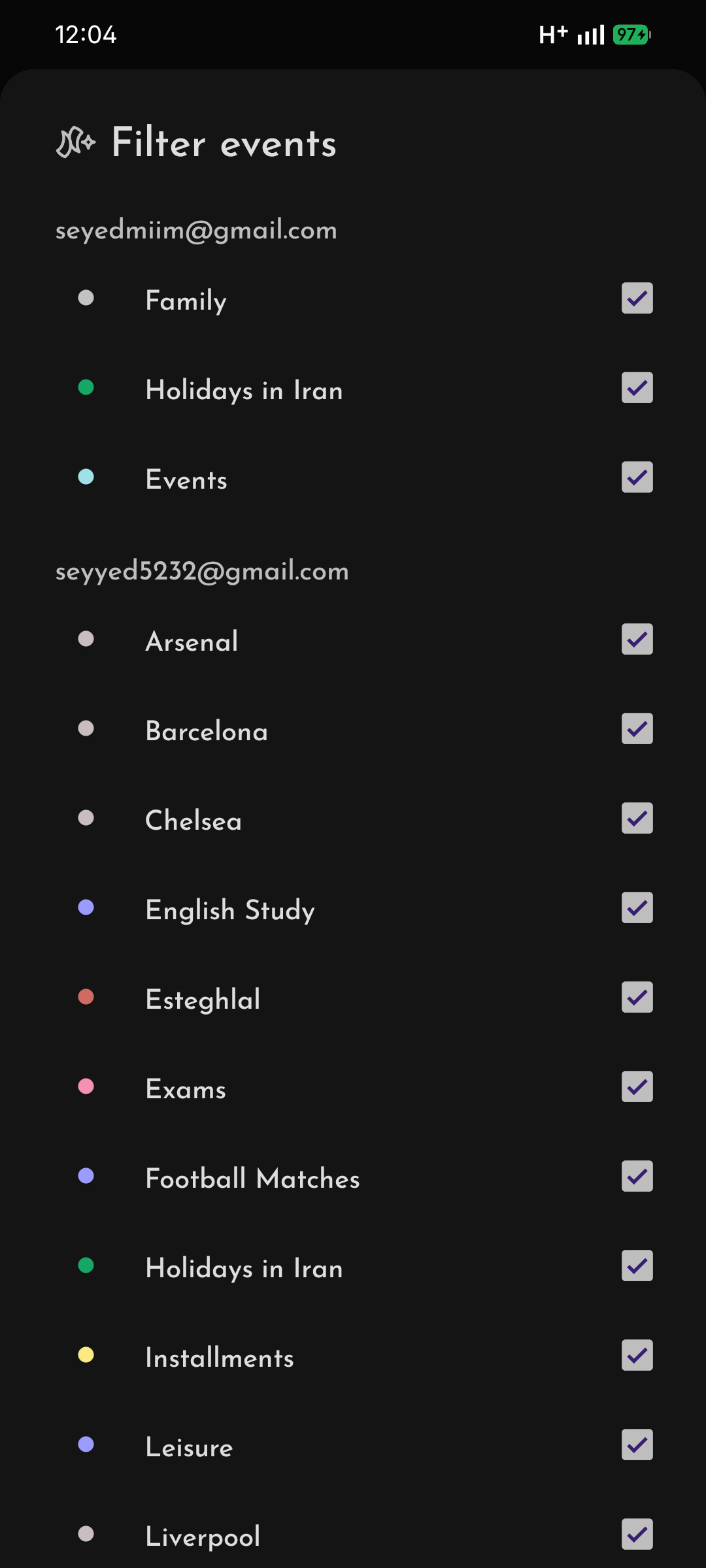
Interestingly, Niagara does detect these calendars correctly: they appear in Filter Events, and I have enabled the checkbox for every relevant calendar. However, the actual events from these calendars are missing from the Agenda.
What makes this issue strange
Regular events that I create manually in Google Calendar are displayed correctly in Niagara Agenda.
The problem seems to specifically affect events that come from the externally synced/subscribed calendars provided by FootMob.
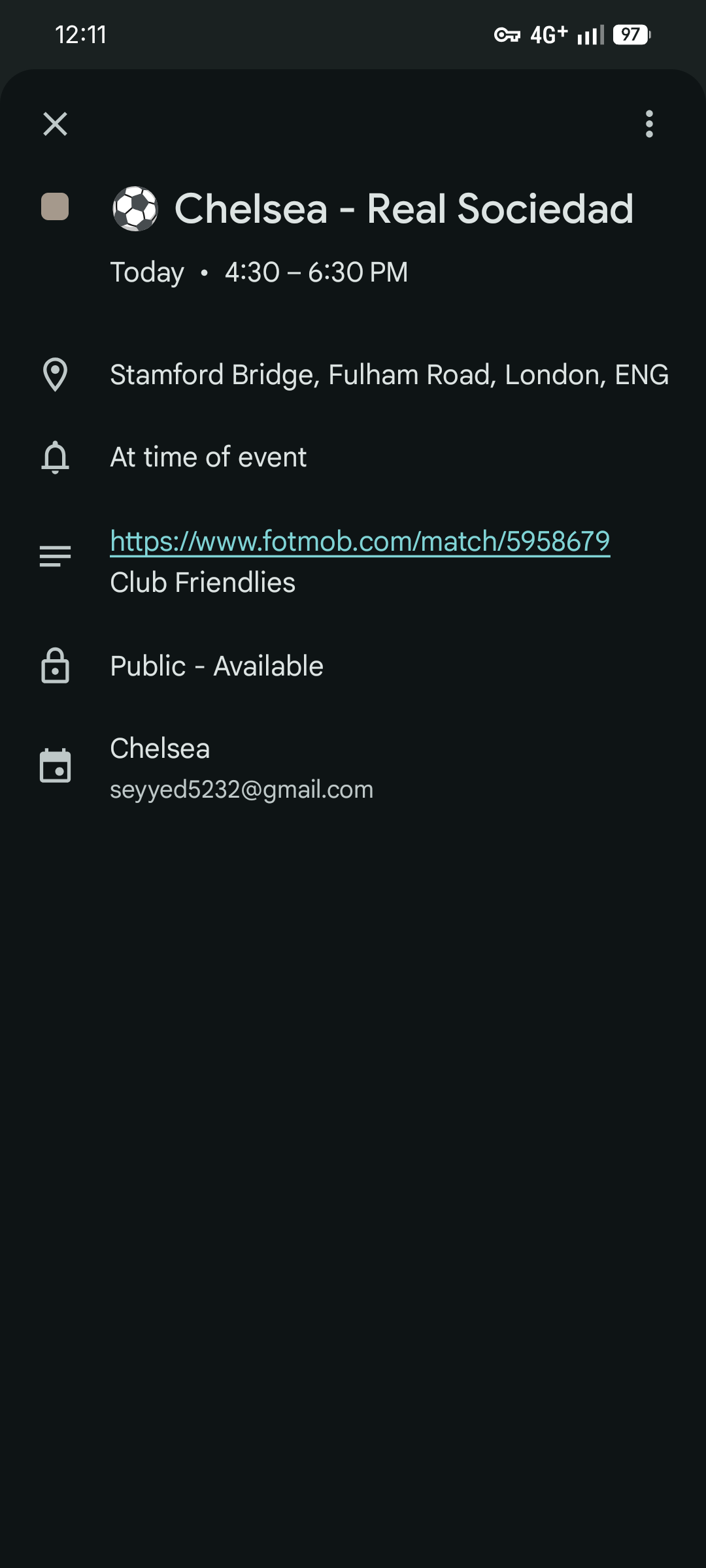
For example, I have a FootMob calendar for Chelsea matches. A match such as Chelsea – Real Sociedad appears normally in Google Calendar, with its time, location, FootMob link, and other information, but the same event does not appear in Niagara's Calendar Agenda.
I have attached a screenshot of one of these events to this report.
Steps to reproduce
1. Add/subscribe to a football calendar through FootMob.
2. Allow FootMob/Google Calendar to sync the matches.
3. Open Google Calendar and confirm that the football matches are present.
4. Open Niagara Launcher → Calendar Agenda → Filter Events.
5. Make sure the corresponding calendar is enabled.
6. Return to the Niagara Calendar Agenda.
7. The events from the FootMob calendar are missing, even though the calendar itself is available and enabled.
Expected behavior
All events belonging to calendars enabled under Filter Events should appear in Niagara's Calendar Agenda, including events from subscribed or externally synced calendars.
Actual behavior
The calendar is visible and enabled in Niagara's Filter Events, but its FootMob events do not appear in the Calendar Agenda.
Manually created calendar events, however, appear normally.
Troubleshooting I have already tried
I have already tried the following:
- Confirmed that "Share Google Calendar data with other apps" is enabled.
- Refreshed Google Calendar.
- Restarted Niagara Launcher.
- Reinstalled Niagara Launcher.
- Cleared Google Calendar's app data/storage and allowed it to sync again.
- Checked that the relevant FootMob calendars are enabled in Niagara's Filter Events.
- Confirmed that the events are actually present and correctly updated in Google Calendar.
- Confirmed that these are subscribed/external calendars and that Niagara can see the calendars themselves.
- Checked that the problem is not simply caused by an unchecked calendar in Niagara's Filter Events.
None of these steps solved the problem.
Additional information
The FootMob events are not static events that I manually created. They are events coming from the FootMob calendar subscription and are automatically updated when match information changes.
This makes the issue particularly noticeable because the calendar itself is clearly accessible to Niagara, but its events seem to be excluded from the Agenda.
Could you please investigate whether Niagara's Calendar Agenda has an issue with subscribed/external calendars or externally synced events, perhaps when querying the Android Calendar Provider?
If you need logs, additional screenshots, or any other information from my device, I'd be happy to provide them.
Thank you for looking into this. I really like Niagara Launcher and would love to have these calendar events working in the Agenda as well.
I used ChatGPT to help organize and write this report based on the issue I experienced and the troubleshooting steps I went
through, so that I could provide all the relevant details clearly.
