calendar widget not refreshing upcoming events
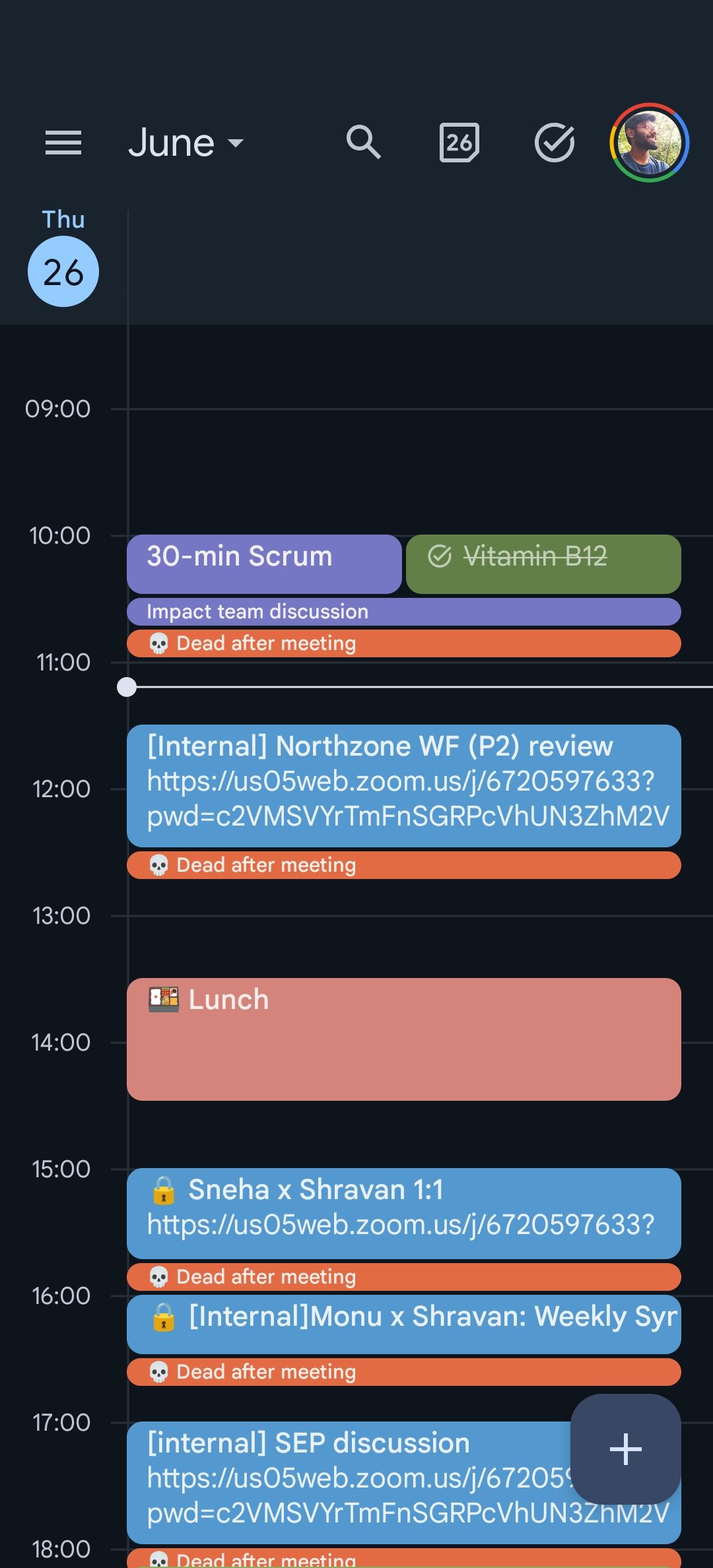
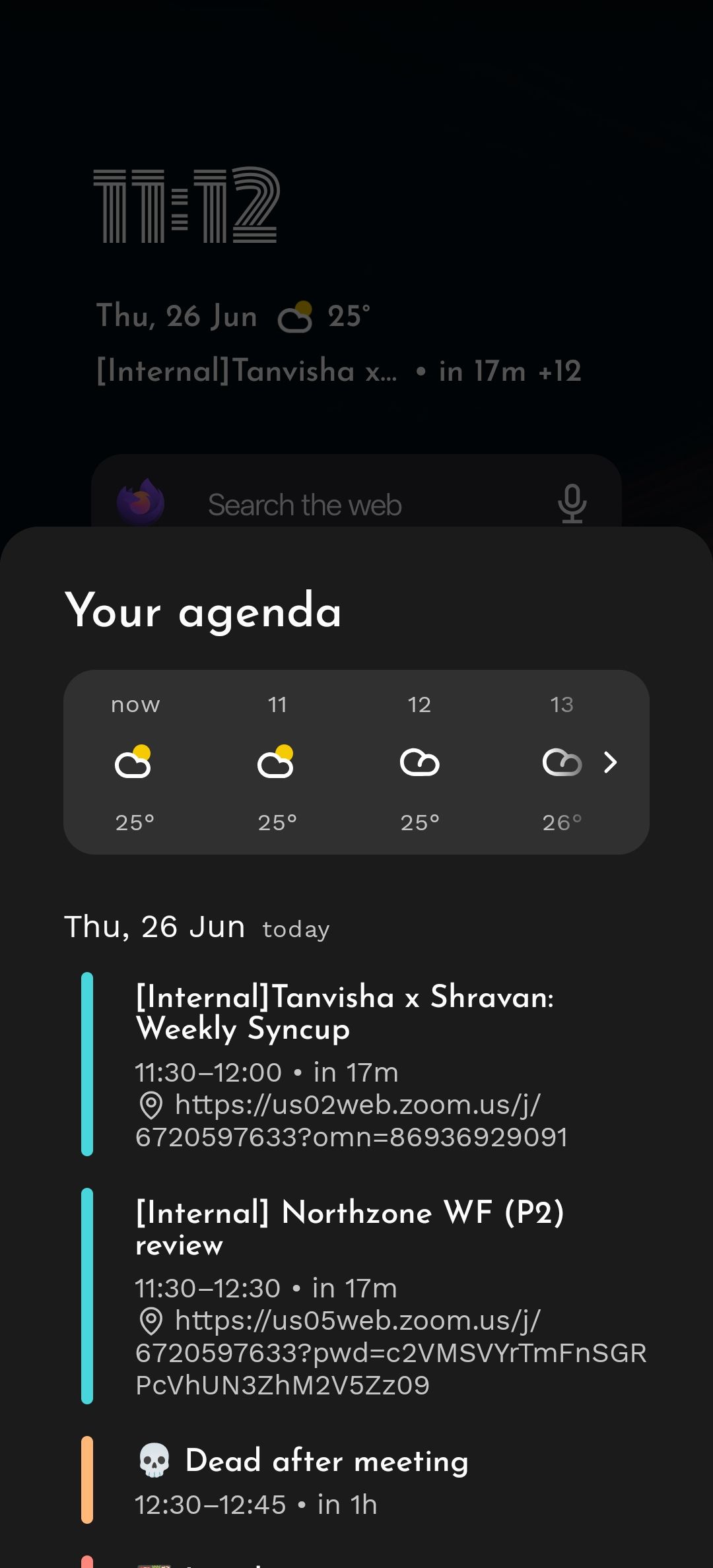
Events that have been removed from my calendar still show up in the upcoming events in the Niagara calendar widget. Even after 24 hours of event deletion. In the screenshot, the 11 30am event that says tanvisha was deleted a day ago. Still shows up.
- Manufacturer and Device Name
- Android Version
- Problem occurs with other Launchers
Log in to comment and vote
Comments6
NL Help Bot
Aug 31
Thanks for the clear before-and-after screenshots, and sorry it took us so long to get back to this thread. Your two shots show it precisely: the 11:30 event is gone from Google Calendar but still sitting in Niagara's agenda, while the other events on that day line up fine.
That pattern usually means the event is still present in Android's shared calendar storage, which is what Niagara reads from. The calendar app removed its own copy without that shared storage being updated, so the launcher keeps showing a row that no longer exists for you. Restarting the launcher or the calendar app doesn't clear it, which matches what several of you found.
What does clear it is resetting Android's calendar storage. The steps are in our calendar widget article, under "I deleted an event, but it still shows on Niagara's agenda", which links this guide.
If a deleted event survives that reset, please say so here along with the calendar app you use, because that would point somewhere else.
Kathrin Guttmann
Aug 14
Same issue Here. Has this been solved by now?
Connor (Con)
Jul 16
Still occuring for me on honor magic 8 lite
Rahul Patel
Mar 24
+1 on this issue - do these get read by support?
B A
Nov 24, 2025
Same here.
Deleted Events will keep showing in the Niagara Clock/Calendar/Weather Widget forever.
Restart of Launcher or Calendar App does not solve this.
Meaning the Calendar Function is kinda useless.
Pixel 7, Android 16
Lenneke Broeze
Dec 2, 2025
Same here. Have updated the app, restarted it but nothing removes the calendar item that I've already removed in the source calendar itself.