home screen gesture collision
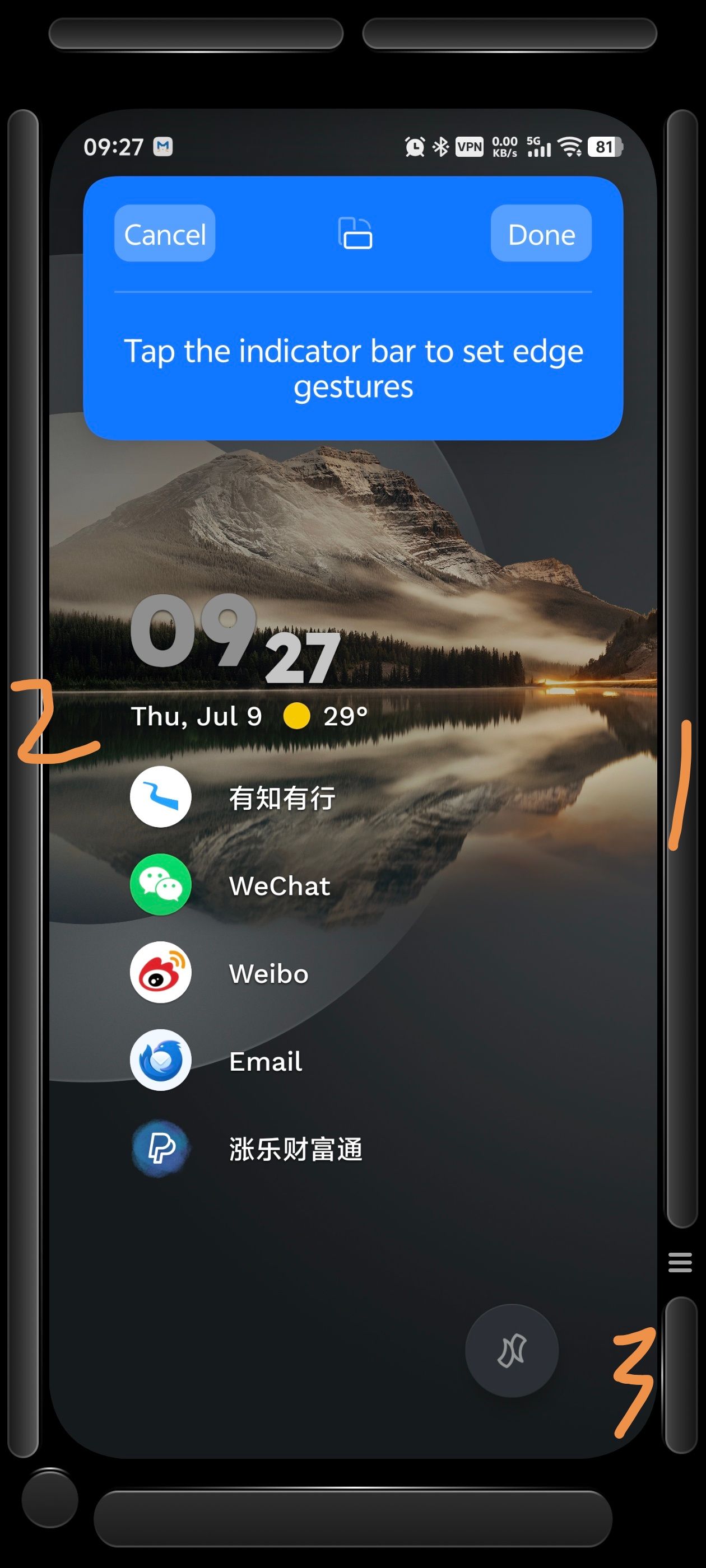
On the vivo X300 Pro, swiping inward from the right edge of the screen and holding for a moment (indicated by number 1 in the picture) triggers vivo's Smart Sidebar feature. Similarly, swiping inward from the left edge and holding for a moment (indicated by number 2) also triggers the Smart Sidebar. Swiping leftward from the position marked by number 3 triggers vivo's Super Pocket feature.
However, on the home screen of Niagara Launcher, swiping inward and holding at positions 1 and 2 always triggers the launcher's app list function instead of vivo's Smart Sidebar. At position 3, swiping leftward most of the time triggers both the app list function and Super Pocket simultaneously, though occasionally it triggers only Super Pocket.
- Manufacturer and Device Name
- Android Version
- Problem occurs with other Launchers
- Niagara Launcher Version
Log in to comment and vote
No comments yet
Be the first to share your thoughts.