Icon icon selection readability
Description:
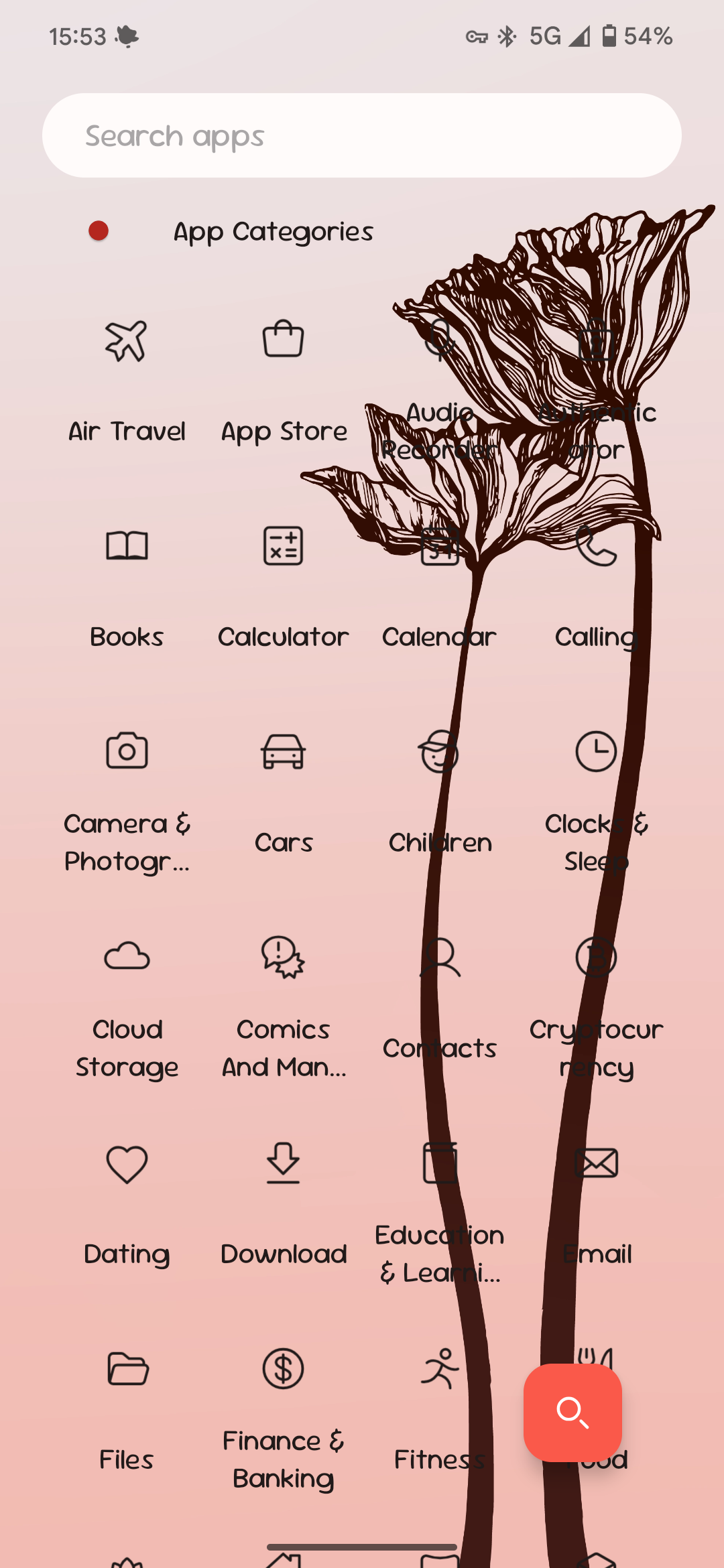
With wallpaper dim option selected no wallpaper dim is applied in the app icon selection page. This makes it tricky to read text when it overlaps with dark wallpapers (including this one which was released with the theming update).
To recreate (set a dark wallpaper first):
Long press on app → tap app icon → select icon pack → select category
Desired behaviour:
With the Dim Wallpaper option enabled, wallpaper dimming is applied in the icon selection page as well.
- Manufacturer and Device Name
- Android Version
- Problem occurs with other Launchers
- Niagara Launcher Version
Log in to comment and vote
No comments yet
Be the first to share your thoughts.