Niagara IS the default launcher, yet the prompt to set it is permanently shown
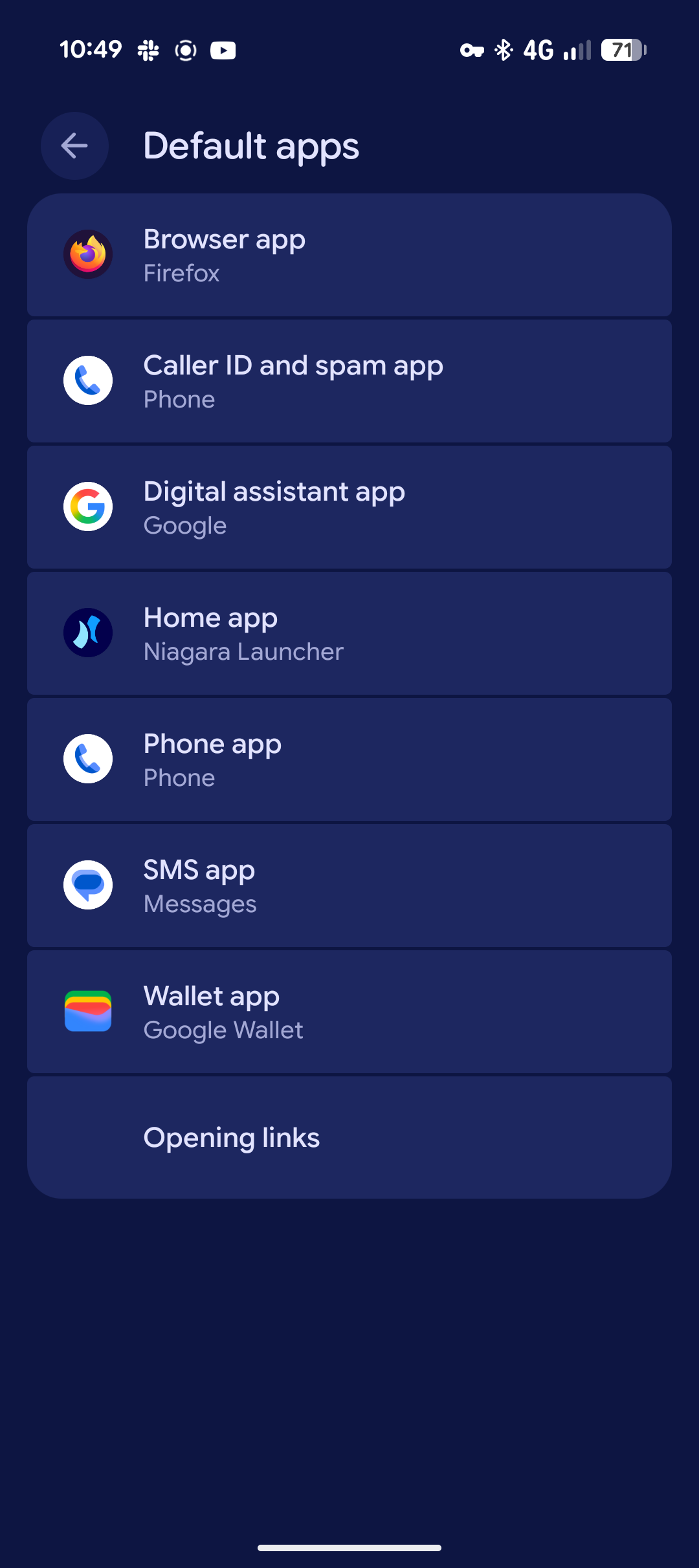
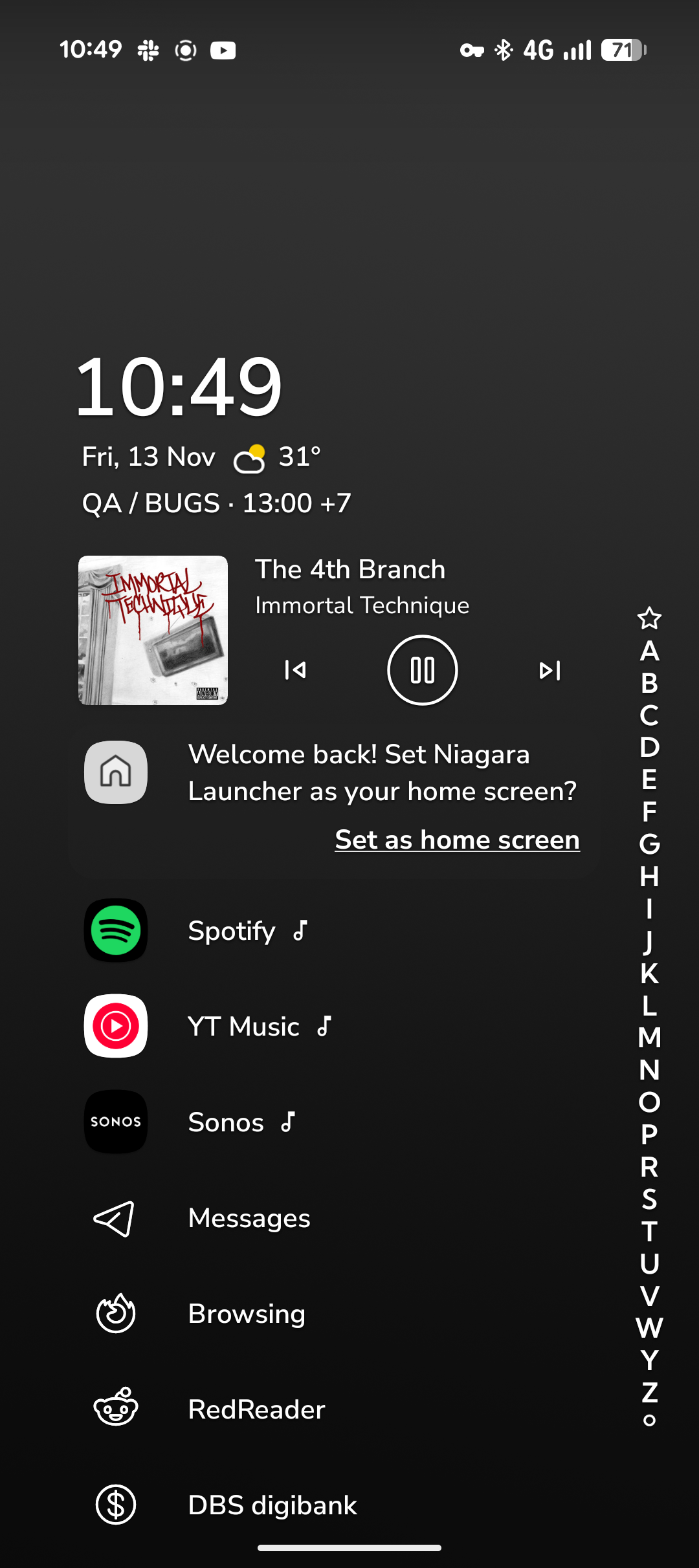
See title and images attached.
Niagara is the default launcher. No wrapper or anything special, no customization. Yet it thinks it isn't and shows the prompt to fix that, without a way to dismiss it (I found a “secret command” that I'll try to fix the behavior now, but want to report this as broken first).
- Manufacturer and Device Name
- Android Version
- Problem occurs with other Launchers
- Niagara Launcher Version
Log in to comment and vote
Comments1
Surfer Bot
Nov 13
Thanks, the two screenshots show the contradiction clearly: Android's Default apps screen lists Niagara Launcher as the Home app, while the home screen still shows the "Welcome back! Set Niagara Launcher as your home screen?" card. Together with your Pixel 9a, Android 17 and Niagara 1.16.36, that's what we need to look into it.
Two things would still help, right here in the thread: does the card come back after restarting the phone, and does whatever you're trying now make it go away for good? You'll be notified when the post's status changes.
Linked to Forced to default