Niagara Pro clock widget clipping in landscape on Android 16
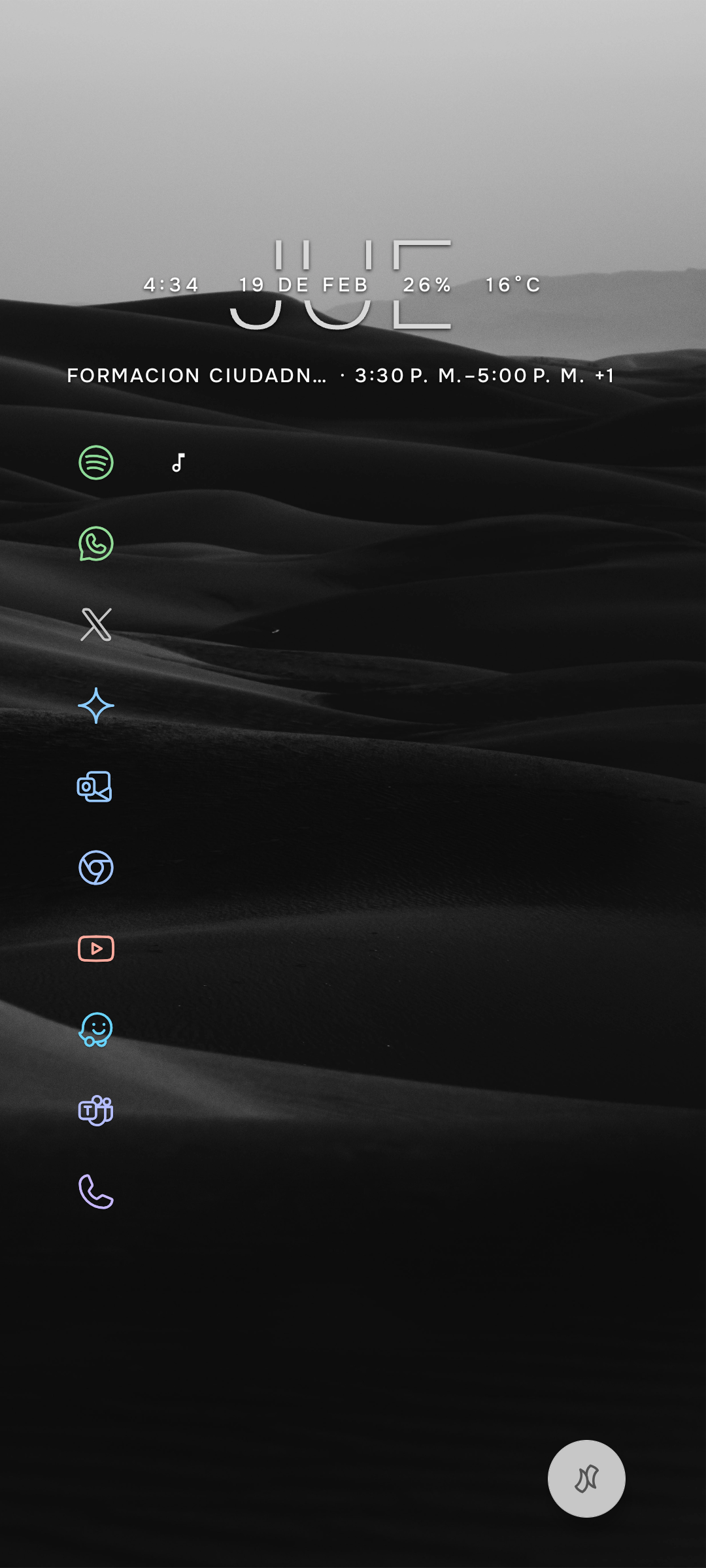
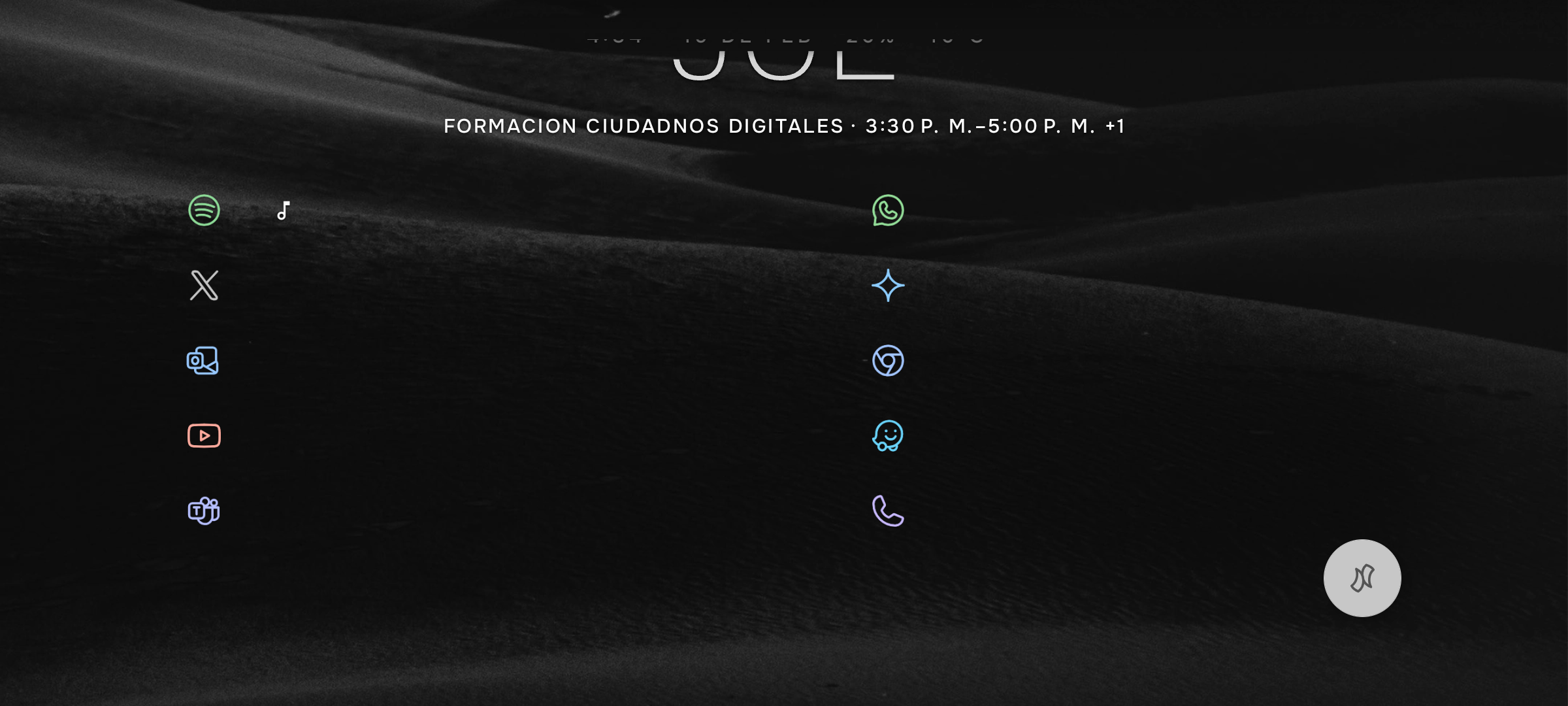
In landscape orientation, the clock and date widget is pushed towards the top edge of the screen, causing the text (specifically the day of the week and time) to be clipped or partially invisible. I have already tried reducing the font size to 80%, but the clipping persists, which suggests a layout/margin issue rather than a font-scaling problem.
Steps to Reproduce:
1. Use Niagara Launcher in portrait mode (clock displays correctly).
2. Rotate the phone to landscape mode.
3. Observe the clock widget being cut off at the top margin.
Expected Result: The widget should respect screen insets/margins and remain fully visible in landscape mode.
Actual Result:The top part of the clock and date is cut off by the physical edge of the display area.
- Manufacturer and Device Name
- Android Version
- Problem occurs with other Launchers
- Niagara Launcher Version
Log in to comment and vote
No comments yet
Be the first to share your thoughts.