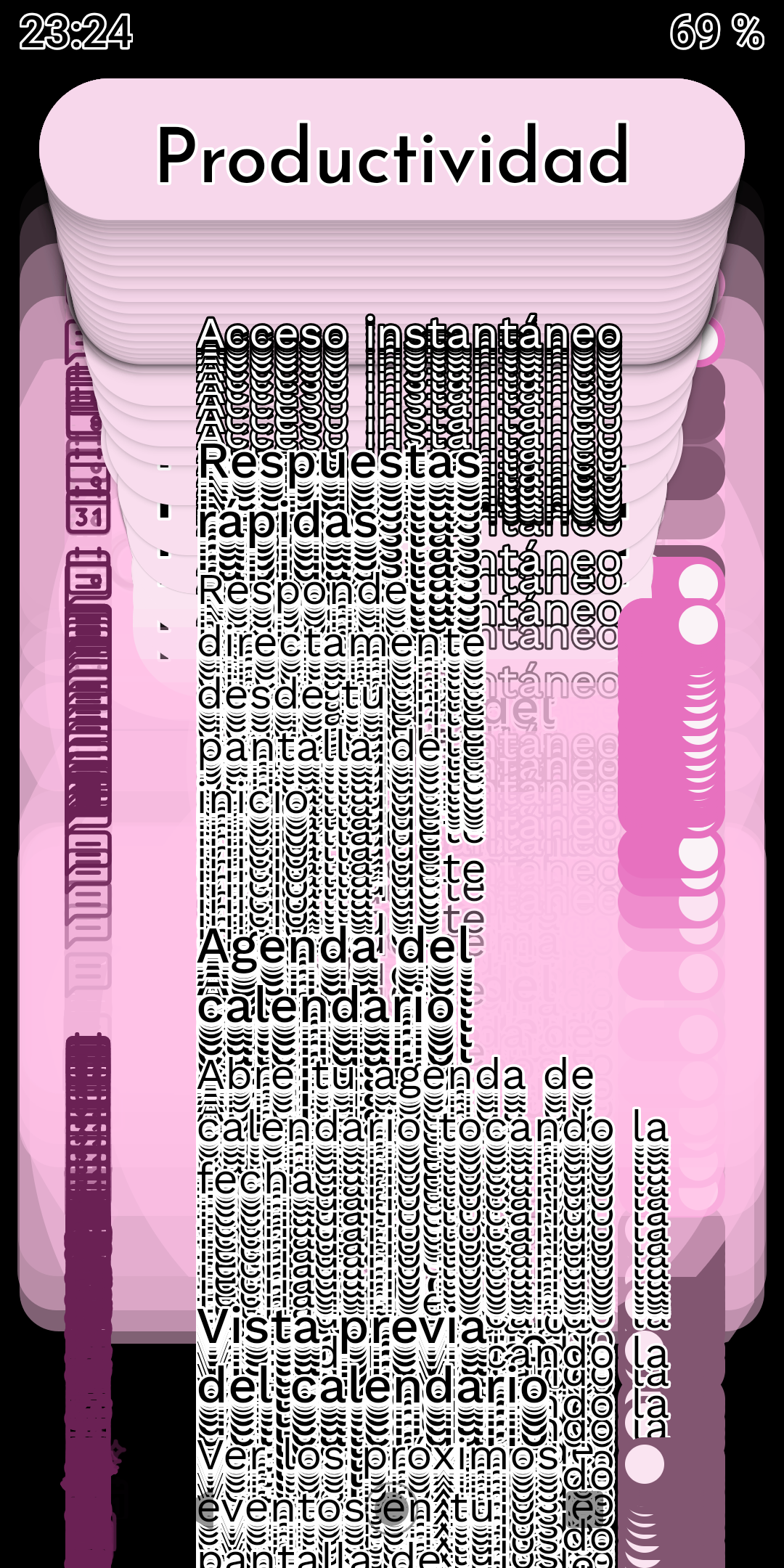
When opening Niagara Settings on a Motorola Moto G6 Plus, the entire settings interface becomes visually corrupted. Multiple copies of the UI elements and text are rendered on top of each other, making the settings screen almost unusable.
The user also noticed that the device appears to switch into dark mode immediately before the issue occurs.
Outside of Niagara Settings, the launcher continues to work normally.
The issue persists after:
Restarting the phone
Restarting/force-stopping Niagara Launcher
Uninstalling and reinstalling Niagara Launcher
The same Niagara Launcher version is installed on the user's second device, an LG phone running Android 11, where the issue does not occur.
Steps to reproduce the behavior:
Use Niagara Launcher on a Motorola Moto G6 Plus.
Open Niagara Settings.
The display appears to switch to dark mode.
The settings interface becomes duplicated and layered repeatedly on top of itself.
Leave Niagara Settings.
Niagara's normal home screen functionality continues to work correctly.