often used apps list too empty
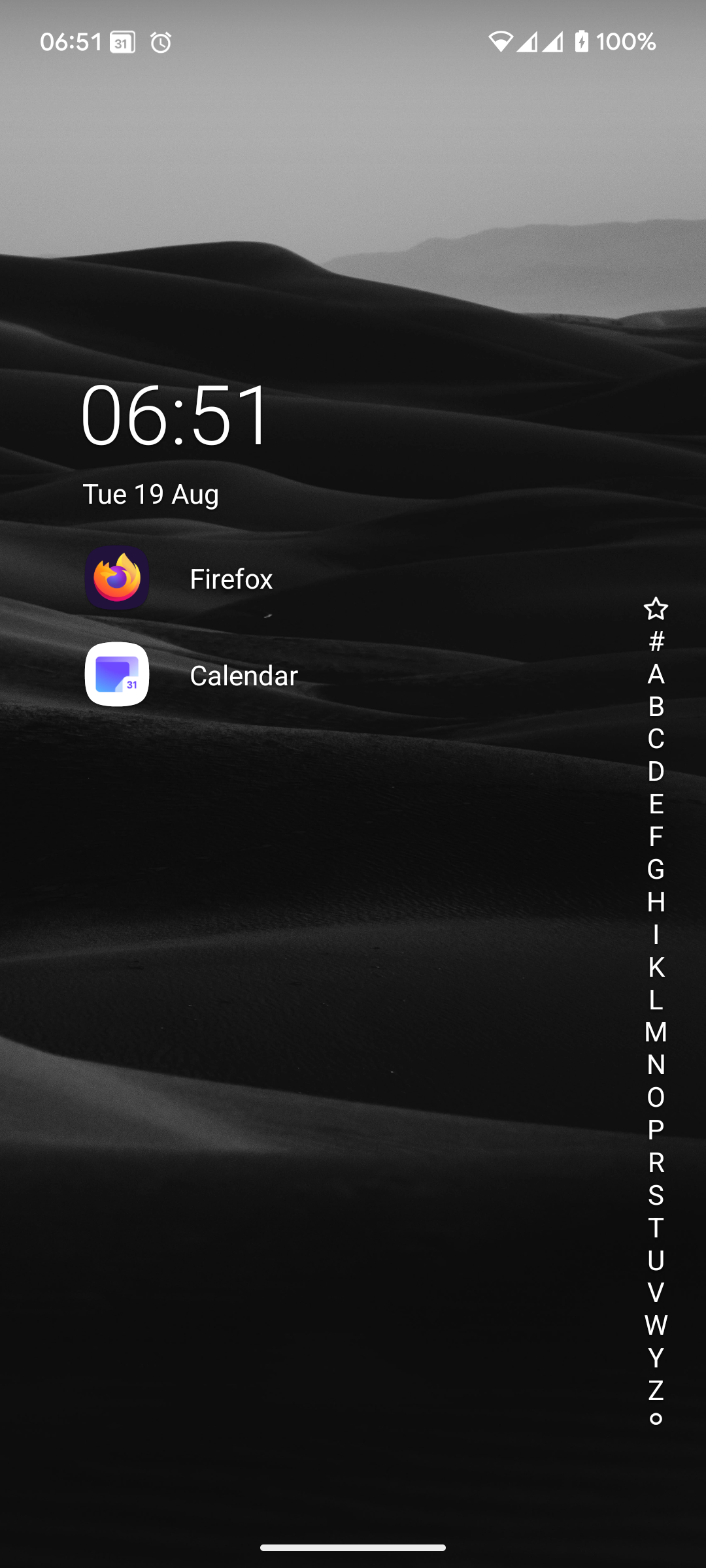
Often used apps list only shows one or two apps after more than a year of use. I have not hidden any app that would otherwise show up in the list.
I've had the list shorten I the past, to maybe 5 apps, when I used a wide variety of apps frequently. Recently I used an even wider selection of apps, and I think this causes the list to be extremely short since a few days.
Obviously, this is not the behaviour I had hoped to experience. Navigation takes a lot of time this way. I have relaunvhed Niagara but the problem persists.
- Manufacturer and Device Name
- Android Version
- Problem occurs with other Launchers
- Niagara Launcher Version
Log in to comment and vote
Comments24
Tamino Fackler
Aug 26, 2025
PinnedThank you for reporting the issue.
We are currently investigating this issue.
iforapsy
Aug 20, 2025
This started happening to me too about a week ago. Before that, the often-used apps list would always show about six apps for me. A week ago, the number of suggestion slots seems to have dropped to 4. Two days ago, the number of suggestion slots apparently dropped further to 3.
I have not used the Stop suggesting button on any of my often-used apps so I'm not sure why they disappeared. I do not have any apps favorited. Nor has my app usage changed: I still use the five apps everyday for multiple times a day.
I am using Niagara Launcher 1.14.5 on Android 15.
Bram
Aug 20, 2025
It's a shame this is happening and the number of cases seems too limited to draw attention.
It renders Niagara useless for me, but I don't want to switch apps or manage to fill the home screen.
Tamino Fackler
Sep 9, 2025
Update:
We have taken a closer look, but could not find any changes made to how the recommendation system works. There should not be less entries.
This is why we would like to get some actual usage from the users reporting this issue. Starting with Niagara Launcher 1.14.9, there is a secret command that lets you send your usage data to our support.
You will either have to wait until 1.14.9 hits the Google Play Store, or get it through our beta channels (Discord Server or Telegram Group).
Simply click this link, or type
/debug-most-used-appsinto Niagara Launcher's search bar, then use the "Contact Support" button to send us the data. With the data we can investigate further.Gordon Lunas
Sep 9, 2025
T
here has to be some issue. This was working quite fine for me up until maybe a few weeks now. They would show up at the bottom and would list around 3 for me. Now nothing shows up.
I tried to submit the debug, but it states it’s not found. I clicked the link above and also tried typing in the command
I have confirmed im on version 1.14.5
Phone - Android 16 Pixel 9 Pro Fold
Tamino Fackler
Sep 12, 2025
I have included links to the beta channels where you can download 1.14.9 in the message you replied to.
Aaron Reynaldos
Sep 10, 2025
I have sent the logs as per the hidden flag. I received a confirmation email from the Support email address. Hopefully the team can find why this is happening!
Mistral24
Nov 6, 2025
Are there any news on this. The bug is open for more than 3 month now. As far as I can see all Problems are on devices running Android 16.
Doug Wilkerson
Oct 29, 2025
I have a similar issue. I've been using Niagara on a pixel tablet and Samsung Galaxy s22 and s24 without issue. However on a new pixel 10 pro XL it will not suggest more than three apps. And once those three are set they do not change. I cleared cache and data and I served the same behavior again. I have sent the same debug information
twicesainted
Aug 21, 2025
Started happening to me four days ago. Please fix.
Philippe Choquette
Aug 23, 2025
New user here on a OnePlus 13. The “Suggest often used apps” option is enabled by default, and so I was expecting my favorites to fill up gradually rather than having to select the apps manually.
Half a day later, the favorites section was still empty. I noticed that Niagara has an optional permission to read the Android usage stats, so I toggled that on, but no change.
Just now, toggled the “Suggest often used apps” off and back on, and finally, I'm seeing one app auto-filled in my favorites.
Hoping more apps will show up as I keep using the launcher. But clearly, this feature isn't working properly. It's unclear if it uses Android app usage stats (if so, it doesn’t prompt the user for the permission) or simply the app launches made from within Niagara.
Tamino Fackler
Aug 27, 2025
The feature only uses app launches and a custom algorithm to weight these launches, so the usage stats permission is not necessary and is thus not requested.
kariboooooo
Aug 25, 2025
Hello,
Same bug on an Android 15 device (galaxy a36 5g) since the 1.14.5 update. It concerns all apps, not only music ones.
I cleaned the cache 1stly but no result. Then I uninstalled Niagara and install it again. The buggy behavior about missing “often used apps” is still here.
Thx to the Team to fix it.
Aaron Reynaldos
Sep 2, 2025
Before the latest update I used to have 5 or more apps as frequently used. Now only 3 show up. I'd like the previous algorithm brought back
totallyphilip
Sep 2, 2025
I'm having the same issue after the latest update 1.14.5. The list resets every day and only shows the most frequently used apps from that day. I tried clearing cache and data to no avail.
Dreamer-4pda
Sep 15, 2025
Same issue Google Pixel 4a
1.14.5