Option to pause an application by long pressing on it
I am unsure whether or not this will be possible to implement in a wide range of devices or not, however, “Pause App” may be a helpful addition (alongside the existing App Timer feature) who just want to disable an application outright after they’re done with the day to not get any distractions or background activities from it. Below is how it’s an option given on my Pixel Launcher and based on its behaviour, I would assume this is also a part of the Digital Wellbeing system application.
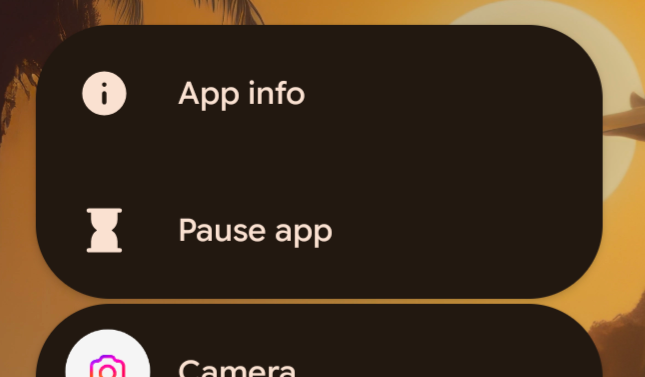
Personally, I use it extensively for social media applications to 1) avoid distractions once I’m done with them, and 2) avoid apps like Instagram to restrict background usage which helps save a tremendous amount of battery as well.
Hopefully it’s possible to have this feature available for more devices via this launcher as well. Thanks in advance!
- Category
- Digital Wellbeing
Log in to comment and vote
Comments2
Sophie San Agustin
Oct 20
Would love to have this on the niagara launcher. I use this feature so much that sometimes it just makes more sense to use the Pixel launcher just for me to be able to pause an app. I mainly pause work apps after my work shift is over so I can “mentally” check out. Really hope you guys add this to Niagara launcher 🙏
Becca Ridge
Dec 22, 2025
I have frequently used this feature in other launchers when I want to take breaks from work-related apps when I am taking time off on a usual work day. This lets me mute Teams, as an example, without needing to remember to un-pause it or allow notifications again when I am back at work and ready to get notifications again.