Wrong app icon shown in "Edit app pop-up shortcut" screen after launcher restart
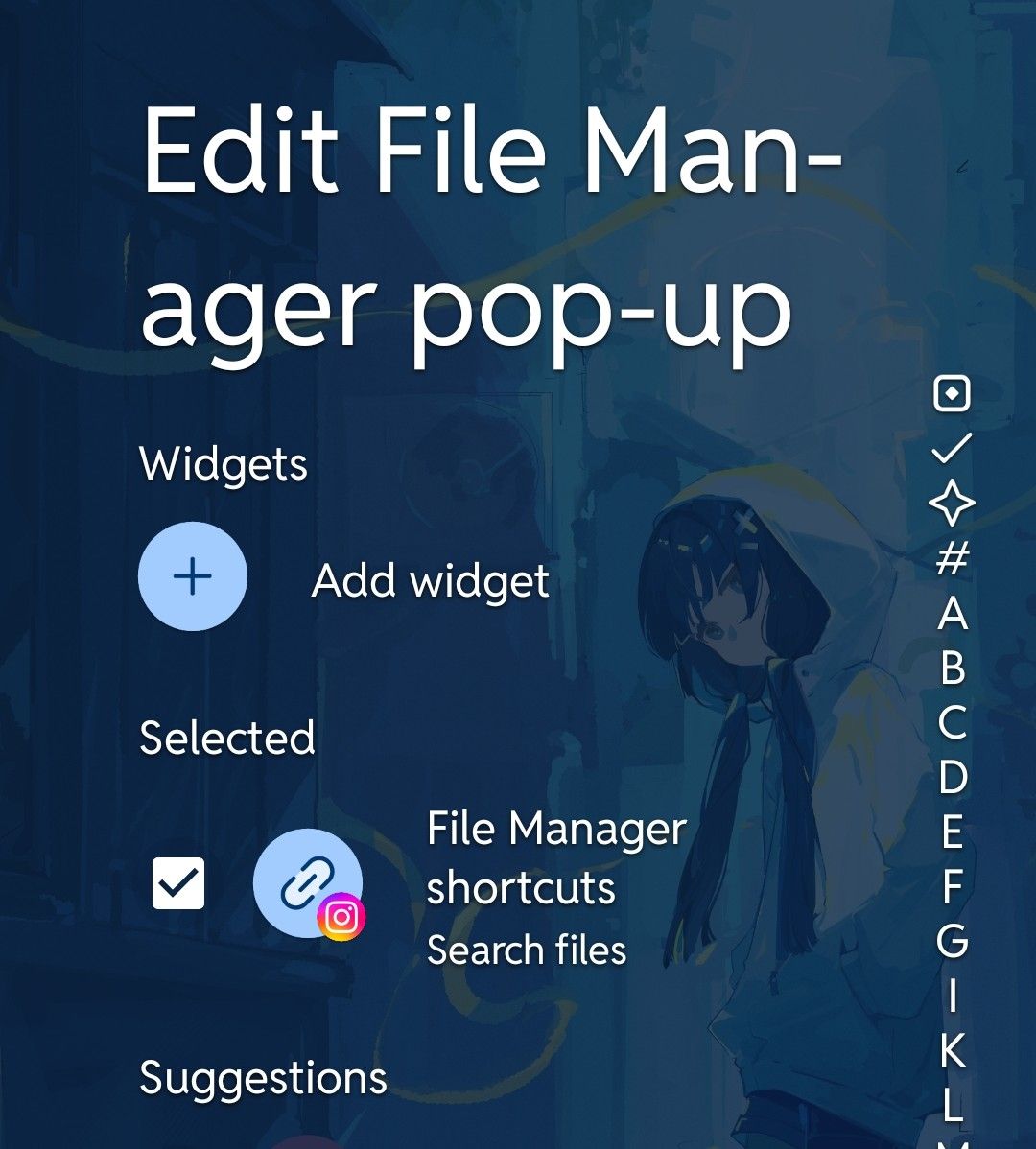
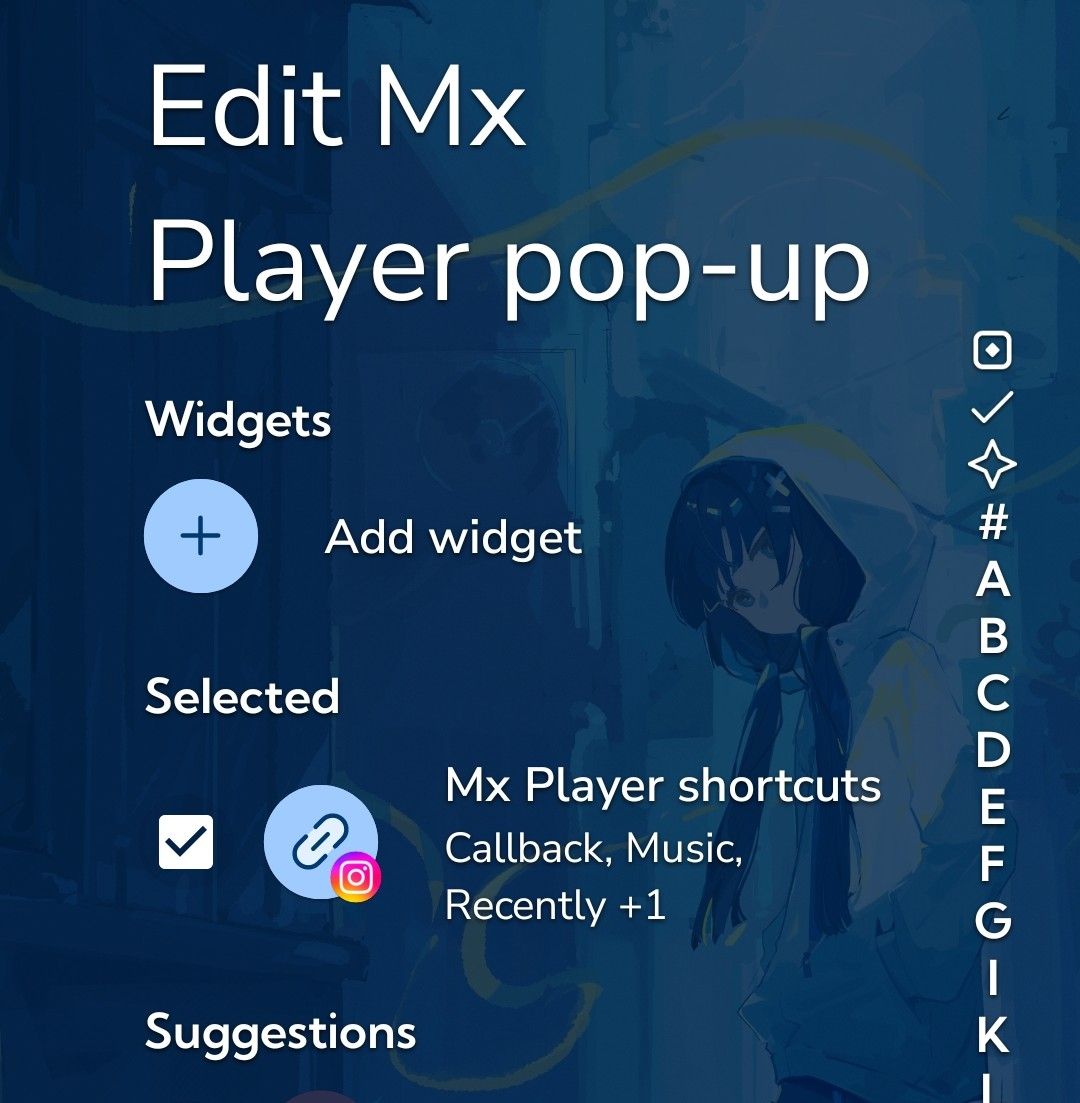
After restarting the launcher, the icon shown for app “edit pop-up shortcuts” gets stuck on whichever app was edited first, and incorrectly displays for every other app afterward.
Steps to Reproduce:
Restart the launcher
Edit an app's pop-up shortcut (e.g. Instagram)
Edit a different app's pop-up shortcut (e.g. File Manager)
Observe that the icon shown is still the first app's icon (e.g. Instagram) , not the one currently being edited (e.g. File Manager)
Expected behavior: Each app's edit pop-up screen should show that app's own icon for the shorcut.
Actual behavior: The icon from the first-edited app after a restart becomes a "default" icon shown across all other apps' edit pop-up screens, until the next restart.
Notes:
Not tied to any specific app — whichever app is edited first after a restart is the one whose icon gets stuck.
Reproducible every time by restarting the launcher.
Already tried: restarting phone, clearing launcher cache & storage, reinstalling the launcher app — issue persists in all cases.
Screenshot:
File Manager App
Mx Player App
- Manufacturer and Device Name
- Android Version
- Problem occurs with other Launchers
- Niagara Launcher Version
Log in to comment and vote
No comments yet
Be the first to share your thoughts.