✨ Features
💬 Commonly Requested
❔ How-To's
🌟 Niagara Pro
🔧 Troubleshooting
Gesture Navigation Issues
Restricted Settings Permission Issue
Niagara Pro Help
Enabling Notification Previews
Lost Access to Niagara Pro
Recent Apps Screen & Gesture Navigation Issues
Help, I'm seeing random numbers on my homescreen
Wallpaper Bugs
Lock Screen on Older Android Versions
Android 12: Disable Floating Niagara Button
I Cannot Install or Update Niagara Launcher
How to Enable Alphabet Haptics
Memory consumption of Niagara Launcher
Screen Flicker on Returning Home
I cannot purchase Niagara Pro
Pressing home doesn't show favorites
Dark Sky API Shutting Down
App doesn't open when tapping media player
Swipe to Quick-Search With Google Not Working
🧑‍💻 About Us
💬
Feedback
    Home
  1. 🔧 Troubleshooting
  2. Swipe to Quick-Search With Google Not Working

Swipe to Quick-Search With Google Not Working

Last updated 11 months ago

Swiping on Niagara Launcher's Google button should open Google's quick search. However, some users have reported that the Google app closes shortly after swiping up. This issue is caused by the Google app itself, unfortunately. We can only wait for Google to fix this.
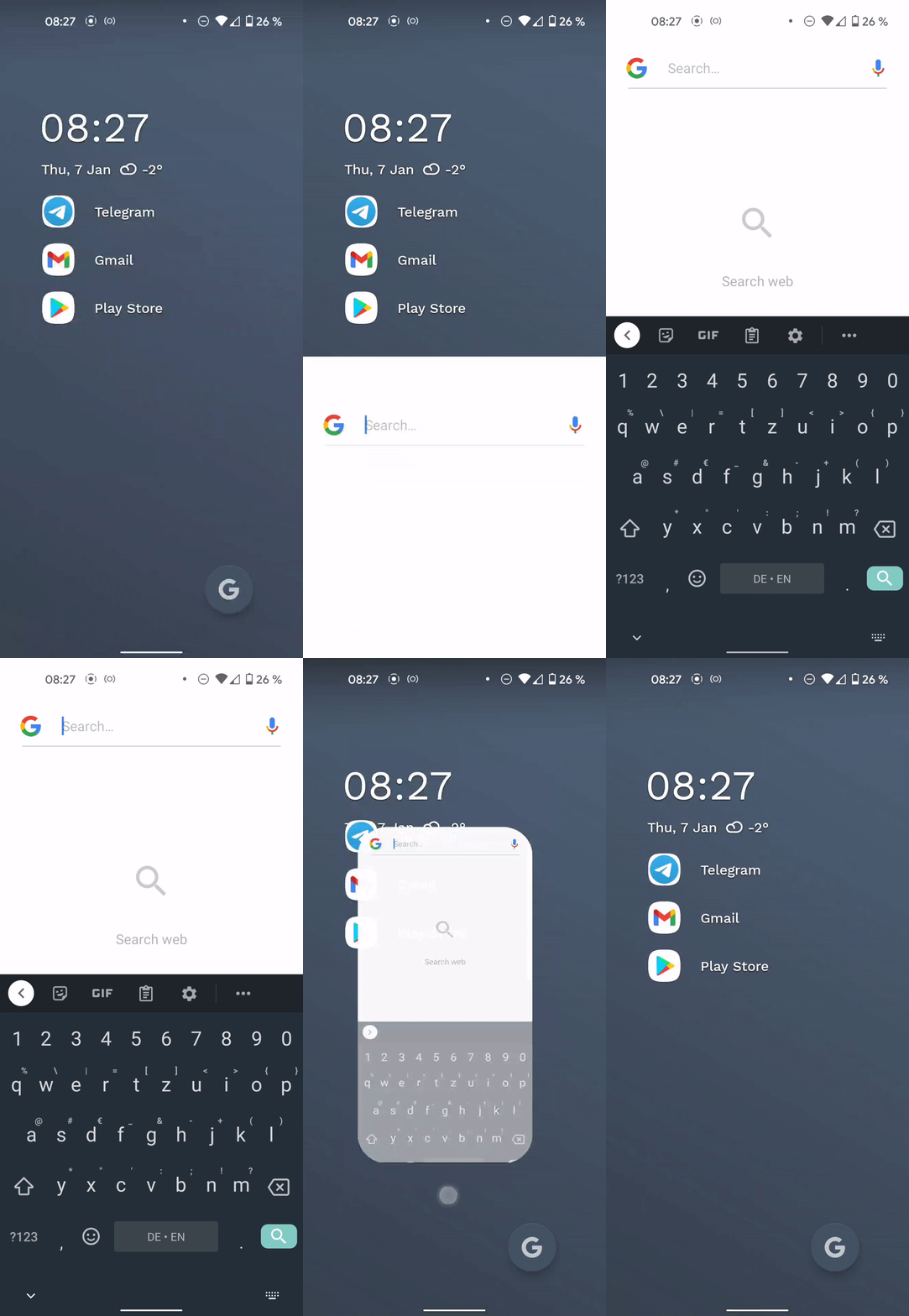
How it's supposed to work

Was this helpful?