Alphabet scrolling has no haptic feedback on iQOO Z10x
Haptic feedback does not work when scrolling through the alphabet on the right side of the Niagara app list.
Haptic feedback is enabled in both Niagara and the system settings. Other haptic feedback, such as keyboard vibration, works normally.
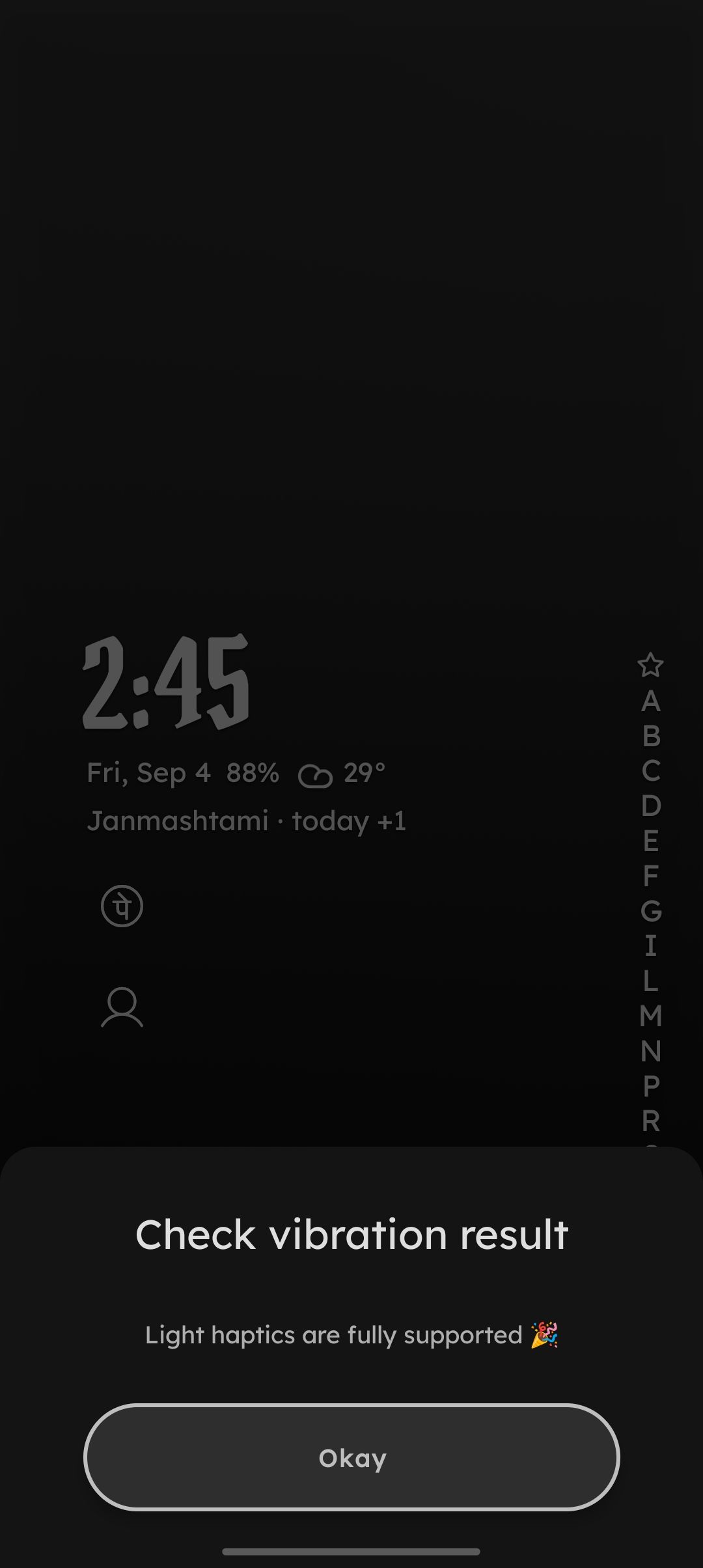
- Manufacturer and Device Name
- Android Version
- Problem occurs with other Launchers
- Niagara Launcher Version
Log in to comment and vote
Comments1
NL Help Bot
Sep 4
Thanks, that screenshot is the useful part.
/check vibrationreporting "Light haptics are fully supported" rules out the most common cause, since the alphabet uses Android's light vibration effect and not every vibration motor can produce it. The false-positive warning in our article only covers Android 8 through 10, so on your Android 16 that result is trustworthy.The next thing that usually swallows it is the system-side touch feedback intensity, which on most devices is a separate setting from keyboard vibration, so keyboard buzz working doesn't confirm it's on. Worth checking that the touch feedback or touch interaction slider isn't at its lowest level (the name differs per manufacturer) and that Niagara Settings > Features > Allow haptic feedback is enabled. Full steps: How to Enable Alphabet Haptics.
If both are already set that way, this looks like more than your device alone: a very similar report is open for a Vivo V60 Lite on Android 16, and iQOO belongs to the same family. Adding your device to Launcher Haptics not working and upvoting it helps us see how far it reaches, since we go through reports roughly by upvotes.