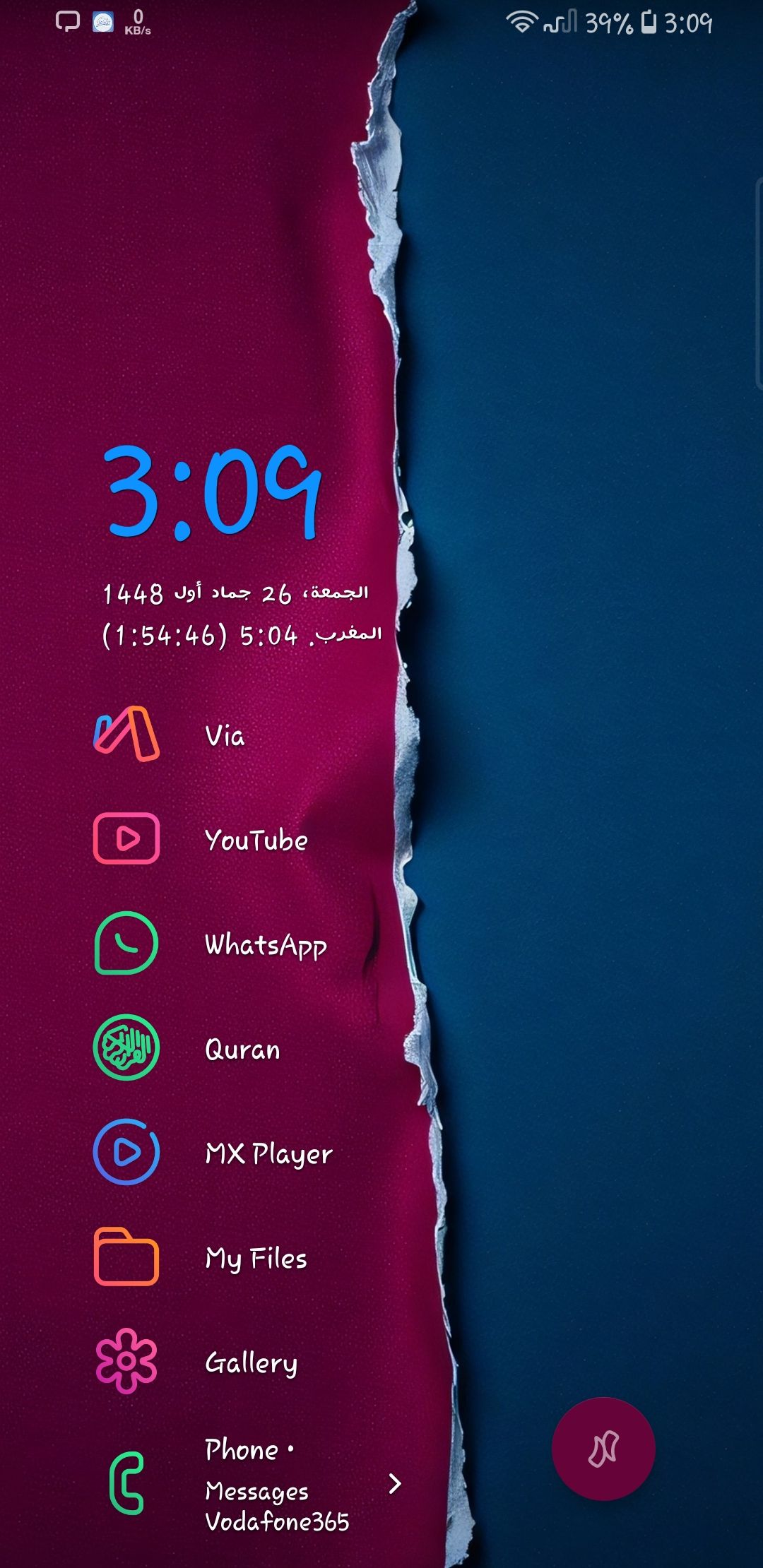
Fixed apps position on home screen
So, in any launcher, the apps on the home screen don't move for a reason: your brain and muscles remember their places (muscle memory).
There are three features that move apps on the home screen:
1-Media widget, which has a disable option (I did turn it off).
2-Flashlight widget, which I think you will add a disable option for in the future.
3-Notification previews, for which I have a suggestion on how to deal with them:
1-Instead of having two lines under the app, what about making it one line and then taking up the same space?
2-Remove the preview but keep the arrow on the right side.
3-Keep the two lines but move them to the right side of the app. That way, they will take up the same space as the app.
- Category
- Productivity
Log in to comment and vote
Comments1
Surfer Bot
Nov 6
Thanks, Khaled. Two parts of this already have a home on the board. Your option 2 (no preview text, just a marker) is closest to Show notification badge / dot instead of preview text, which is Planned, so upvote it to get notified when it moves. The flashlight toggle is your own earlier post, Flashlight off widget, which is the best place to collect votes for that part.
That leaves this post with the two layouts nobody has asked for yet: a one-line preview, or the preview to the right of the app name, so that the apps below never shift.
Requests don't usually get an individual reply from the team right away. They collect votes here first, and we work through them roughly by upvotes, so every vote on this post moves it up the list. You'll be notified when its status changes. How requests are handled, including why some get declined: How To Request a Feature.
Linked to A notification indicator (dot/number) without preview