✨ Features
💬 Commonly Requested
❔ How-To's
Become a Beta Tester
Tips and Tricks
How To Request a Feature / Report a Bug
How to Back Up Your Purchase
Custom Clock
Uninstall Niagara Launcher
Looking up Your Order Number
Wallpaper Blur
Mastering The Search & Notification Gesture
Remove Hidden Apps From Search
Reset Default Clock, Calendar or Wallpaper App
Tips & Resources for Icon Pack Developers
Move clock
Change Font Size
Editing Your Favorites
Alphabet Localization
Knowledge Bot Help
Restart Niagara Launcher
Checking Niagara Launcher App Version
I cannot find a newly installed app
Invite Friends • Earn Rewards
Edit Mode
Resetting Niagara Launcher
Using Icon Packs from the Samsung Galaxy Store with Niagara Launcher
Mark App as Music App
🌟 Niagara Pro
🔧 Troubleshooting
🧑‍💻 About Us
💬
Feedback
    Home
  1. ❔ How-To's
  2. Uninstall Niagara Launcher

Uninstall Niagara Launcher

Last updated About 1 year ago

We're sorry to see you leave 😪

Here's how to uninstall Niagara Launcher:

1. Make another Launcher your default home app

Go to the end of the all-apps list > Launcher Settings > Advanced > Change default launcher. You may have to repeat the step so that you can tap on "Always".
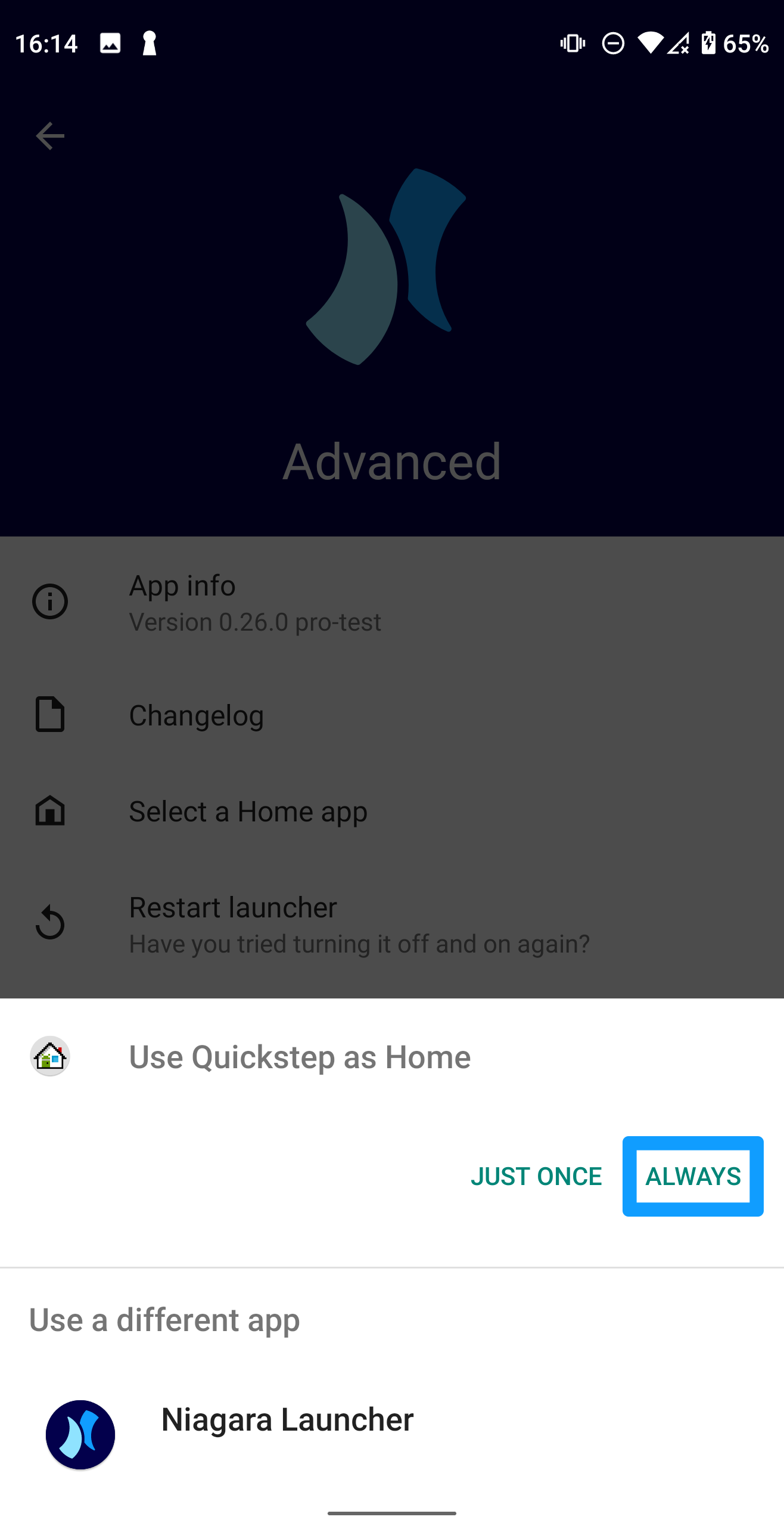
2. Uninstall Niagara Launcher like other apps

Now you can uninstall Niagara Launcher like you remove other apps.

Was this helpful?